15 Reddit Questions About Typing: Speed, Accuracy and Touch Typing
Struggling with typing speed, accuracy, or touch typing? Explore 15 common typing questions collected from Reddit and discover practical ways to improve your keyboard skills.
Why Do So Many People Struggle to Improve Their Typing?
Typing is a skill that many people use every day but rarely practise deliberately. You might type comfortably for work or school and still struggle to increase your speed. You might know the keyboard layout but keep looking down at your fingers. Or you might practise frequently without understanding why your results have stopped improving.
These problems have different causes, so they require different solutions.
For example, someone learning touch typing needs to develop consistent finger placement. Someone already typing at 60 WPM may need to improve difficult letter combinations, accuracy, or consistency. Meanwhile, a person who makes frequent mistakes when typing quickly needs a different training approach from someone who types accurately but slowly.
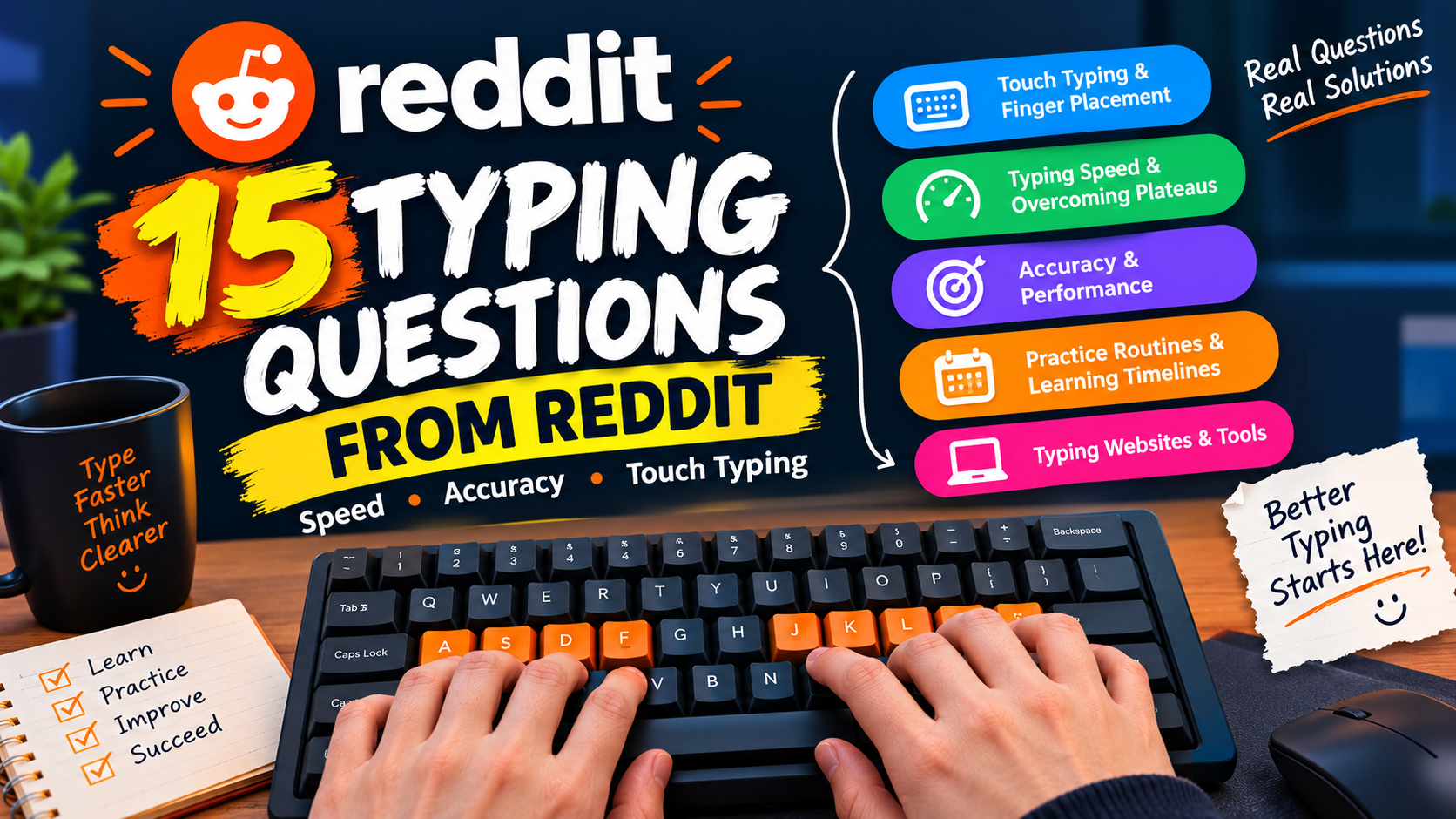
This guide organises 15 questions from our collected Reddit question list into five categories. Each question is followed by a practical explanation, suggested exercises, and ways to measure progress.
The goal is not simply to achieve a higher WPM score. It is to develop typing skills that remain useful during everyday writing, studying, and work.
1. Can literally anyone learn touch typing?
Touch typing is a learnable skill for many people, including beginners and those who have spent years typing with only a few fingers. However, progress varies depending on prior experience, practice quality, physical comfort, and individual circumstances.
Touch typing generally means entering text without constantly looking at the keyboard, using a consistent finger-placement system. Instead of searching for every letter, you gradually learn the movements needed to reach the keys.
You do not need to begin with high typing speed. Your first objective should be to become familiar with the keyboard and use your fingers consistently.
How to start learning touch typing
Step 1: Learn the home row.
On a standard QWERTY keyboard, the left-hand fingers rest on A, S, D, and F, while the right-hand fingers rest on J, K, L, and the semicolon key. Your thumbs are used for the spacebar.
The small raised marks on F and J can help you find the home-row position without looking down.
Step 2: Learn the assigned finger movements.
Practise reaching for nearby keys and returning to the home row. Avoid trying to memorise the entire keyboard in one session.
Step 3: Begin with short exercises.
Practise individual letters, common combinations, and short words. Increase the difficulty gradually.
Step 4: Keep your eyes on the screen.
If you forget a key, slow down and try to locate it by feel. Looking down occasionally while learning is not a disaster, but repeatedly relying on visual searching can make it harder to build the new habit.
Step 5: Measure your progress.
Record your typing speed and accuracy periodically. During the early stages, correct finger placement and fewer mistakes are more useful indicators than speed alone.
Research on typing skill acquisition shows that experience changes how people coordinate their fingers and use visual attention. However, there is no single timeline that applies to every learner.
A beginner touch-typing checklist
I know the home-row positions.
I can locate F and J without looking.
I am learning which fingers reach each key.
I can complete short exercises while looking at the screen.
I review mistakes rather than simply restarting the test.
Start with these basics before attempting demanding speed challenges.
2. How to relearn touch typing
If you previously learned touch typing but developed inconsistent habits, you can work towards a more structured technique. The process involves identifying the movements you want to change and practising them deliberately.
You may find relearning frustrating because your existing method already feels automatic. When you attempt a different finger pattern, your speed may drop even though the new technique is more consistent.
Do not assume that this temporary decrease means the new approach is failing.
A practical relearning process
1. Identify your current habits.
Complete a short typing exercise while paying attention to which fingers you use, when you look at the keyboard, and which keys cause difficulty.
2. Choose one change at a time.
For example, focus first on using the intended fingers for the home row. Once that feels more familiar, work on reaching the top and bottom rows.
3. Practise slowly enough to remain accurate.
If your fingers repeatedly move to the wrong keys, reduce the exercise difficulty. The purpose of practice is to reinforce the intended movements, not to repeat mistakes at high speed.
4. Separate practice from everyday typing.
Use dedicated sessions to learn the new technique. You can continue with your familiar method when necessary for urgent work, then gradually apply the new approach to longer tasks.
5. Review your results weekly.
Compare your accuracy, consistency, and comfort. Do not judge progress from a single test.
Should you relearn every key at once?
No. Breaking the process into manageable stages makes it easier to identify and correct specific problems.
For example, if you struggle with the bottom row, spend extra time on those movements rather than repeating exercises that you already complete comfortably.
3. I can touch type but with mostly my index fingers, how do i start using my other fingers
If you can type without looking at the keyboard but rely mostly on your index fingers, you have already developed some familiarity with the keyboard layout. Your next challenge is to establish a more consistent finger-placement system.
First, decide why you want to change your technique. You may want to improve consistency, reduce unnecessary movement, or make typing more comfortable during long sessions. Those are reasonable goals, but changing finger use does not automatically guarantee a higher WPM score.
How to transition from index-finger typing
Begin with a short practice session that focuses on finger placement rather than speed.
Place your fingers on the home row.
Practise reaching for the keys assigned to each finger.
Return to the home row after reaching for a key.
Type simple words that require different fingers.
Gradually introduce longer sentences and punctuation.
If you repeatedly revert to index-finger typing, slow down. A slower, controlled exercise can be more useful than a fast exercise that reinforces your old movements.
How should you measure progress?
Track three things:
Accuracy: How many characters or words do you type correctly?
Consistency: Can you use the intended fingers throughout the exercise?
Comfort: Does the new technique feel manageable during a practice session?
Your speed may decrease initially. Compare your results over multiple sessions rather than expecting immediate improvement.
4. Any point in learning to type with all fingers? Two finger typist, average over 100 wpm.
If you already type above 100 WPM using two fingers, there is no universal rule that says you must switch to ten-finger typing. Your current speed demonstrates that your technique works well for at least some of your typing tasks.
The more useful question is whether changing your technique would help you achieve your personal goals.
A structured touch-typing system may offer benefits such as consistent finger placement and less reliance on visual searching. However, changing a highly developed technique also requires time and effort, and it may temporarily reduce your speed.
Two-finger typing vs. ten-finger touch typing
| Factor | Two-finger typing | Ten-finger touch typing |
|---|---|---|
| Learning a new technique | May require little change if already familiar | Requires learning or refining finger placement |
| Initial transition | Not applicable if already proficient | Can temporarily reduce speed |
| Finger placement | Often varies by individual | Usually follows a more consistent system |
| Speed potential | Can be high for some individuals | Can also support high typing speeds |
| Looking at the keyboard | Depends on the typist | Designed to reduce the need to look down |
| Best choice | A comfortable method that meets your needs | A useful option for those seeking structured technique |
This is a practical comparison, not proof that one method is always faster or more comfortable for every person.
Should a 100-WPM typist switch?
Consider the following questions:
Do you make frequent errors?
Do you struggle with long passages?
Do you need to look down at the keyboard?
Does your current technique cause discomfort?
Is learning touch typing worth the time required for your goals?
If your existing technique is comfortable and accurate, you may decide to keep it. If you want to experiment, practise the alternative technique separately and compare the results.
Do not abandon a successful method solely because another technique is more commonly taught.
5. Why is learning touch typing so extremely hard??
Learning touch typing can feel difficult because you are asking your fingers to perform unfamiliar movements while your attention remains on the text. If you have used a different method for years, your old movements may feel more natural than the new ones.
This is a common challenge when learning a motor skill. Recognising where a key is located is not the same as being able to reach it automatically while typing a sentence.
You may know that a letter is on the top row but still struggle to reach it with the intended finger without looking.
Why touch typing feels difficult
You are changing established habits. Your fingers may repeatedly move towards familiar keys using your old technique.
You are trying to learn too much at once. Practising all letters, numbers, punctuation, and speed challenges together can overwhelm a beginner.
You are focusing too heavily on speed. Trying to match your old WPM score immediately can lead to more mistakes and frustration.
Your practice may be too repetitive. Repeating easy exercises without addressing difficult keys may not solve your specific problem.
How to make learning easier
Use a progression that moves from simple to complex:
Home-row letters
Individual keys and nearby movements
Common letter combinations
Short words
Complete sentences
Longer passages and timed tests
If you repeatedly struggle with particular keys, practise those keys directly. For example, if you often miss letters reached by your right little finger, create short exercises that include those movements.
You should also take breaks when your hands feel tired. Stop if an exercise causes pain rather than trying to force the movements.
6. How to get faster typing speed?
Improving typing speed requires you to identify what is limiting your current performance. You may hesitate before difficult words, make frequent mistakes, struggle with particular letter combinations, or lose concentration during longer passages.
Simply taking more typing tests does not guarantee improvement. A test measures performance; targeted practice helps you work on the weaknesses that affect it.
A step-by-step method for improving WPM
Step 1: Establish your baseline.
Complete several comparable typing tests. Record your speed and accuracy rather than relying on your best result alone.
Step 2: Identify your biggest weakness.
Review the words, letters, or combinations that slow you down. If you frequently mistype the same letters, practise those movements.
Step 3: Practise the weak areas.
Use exercises that include the difficult keys and combinations. Keep the difficulty manageable so that you can concentrate on correct typing.
Step 4: Build consistency.
Repeat comparable exercises and review your results. A stable performance is more useful than occasional fast scores followed by frequent mistakes.
Step 5: Increase difficulty gradually.
Once you can complete an exercise accurately, work towards a faster pace or more complex text.
Which should you focus on first?
| Your current problem | Recommended focus |
|---|---|
| Frequent spelling or key errors | Accuracy and error patterns |
| Looking down repeatedly | Keyboard familiarity and finger placement |
| Hesitating on common words | Common letter combinations and word practice |
| Strong short-test results but weak longer-test results | Consistency and sustained practice |
| Good accuracy but slow typing | Gradually increasing pace |
| Inconsistent results between tests | Repeatable practice and comparable test conditions |
For more detailed guidance, read Why Your Typing Speed Is Stuck at 30–40 WPM.
You can also practise on Monkey Typing and record your results to identify patterns in your performance.
7. Can’t get past 60-65 wpm
A plateau around 60–65 WPM does not necessarily mean you have reached your maximum typing speed. It means your current practice and technique are no longer producing an obvious improvement under the conditions of your tests.
The cause can differ from person to person. Some typists are limited by accuracy, while others struggle with unfamiliar words, punctuation, or maintaining a steady rhythm.
Why your typing speed may have stopped improving
You keep practising the same material.
You rush through difficult words and make more mistakes.
Your speed changes significantly between familiar and unfamiliar text.
You have not identified which keys or combinations cause hesitation.
You judge progress using your fastest result instead of typical performance.
A plateau-breaking practice plan
1. Measure your typical performance.
Complete several tests using the same duration and similar text difficulty. Record your results.
2. Review your mistakes.
Look for recurring errors and pauses. If you frequently slow down on particular words, create practice exercises that include those words or letter combinations.
3. Work on accuracy.
If mistakes are frequent, slow down slightly and aim for cleaner typing. Errors and corrections can interrupt your rhythm and cost time.
4. Practise unfamiliar material.
If your best speed occurs only with familiar text, include new passages in your practice.
5. Retest under comparable conditions.
After a period of targeted practice, compare your typical speed and accuracy with your baseline.
How do you know if the plateau is improving?
Do not expect every test to produce a new record. Look for a gradual increase in typical performance, fewer errors, and less hesitation on difficult combinations.
For example, if your results previously ranged from 54 to 65 WPM and you begin consistently reaching the upper end of that range with better accuracy, that is useful progress even before you establish a new personal best.
8. Stuck at 120.
When you are already typing around 120 WPM, improving further can require more precise practice than simply repeating general beginner exercises. At this level, small inconsistencies may become more noticeable, especially when the text contains unfamiliar words, punctuation, or awkward letter combinations.
However, the number alone does not reveal what is limiting your performance. You first need to identify whether your challenge is speed, accuracy, consistency, or the difficulty of the test material.
How advanced typists can diagnose a plateau
Compare different types of text. Test your performance on familiar words, unfamiliar passages, and text with punctuation. This can reveal whether your speed depends heavily on the material.
Review accuracy alongside speed. A higher raw speed is not necessarily a better result if it comes with a substantial increase in errors.
Identify difficult combinations. Look for repeated pauses or mistakes in specific letter sequences. Practise those sequences instead of repeating entire tests without a clear purpose.
Test sustained performance. Compare short and longer tests to see whether your speed changes when you need to maintain concentration.
Avoid changing your technique without evidence. If your current finger placement is comfortable and effective, do not assume that a complete technique change is the answer.
Short tests vs. longer tests
| Test type | What it can help you assess |
|---|---|
| 15-second test | Quick bursts of typing performance |
| 30-second test | Short-term speed and consistency |
| 60-second test | A more sustained typing sample |
| Longer passage | Performance across more text and varied words |
These tests measure different aspects of performance, so their scores should not be treated as perfectly interchangeable.
For an advanced typist, the objective is to identify the specific bottleneck and practise it deliberately rather than chasing a higher score in every session.
9. Stuck on 42 WPM, even with lots of practice.
Practising frequently without improving can be frustrating. However, the amount of time spent typing is only one part of the learning process. What you practise and how you review your performance also matter.
If you keep repeating the same tests without identifying your mistakes, you may be reinforcing the same habits instead of addressing the underlying problem.
Why more practice may not be helping
You may be repeating exercises that are too easy, rushing through difficult words, looking at the keyboard frequently, or measuring progress using inconsistent tests.
Another possibility is that you are focusing on speed before developing reliable accuracy.
How to improve when practice is not working
Try this routine:
Complete a one-minute typing test.
Record your WPM and accuracy.
Identify the keys or words that caused the most difficulty.
Spend several minutes practising those specific problems.
Complete another comparable exercise.
Record the results and repeat the process during future sessions.
Keep a simple practice log so you can identify patterns over time.
| Date | WPM | Accuracy | Main problem |
|---|---|---|---|
| Session 1 | 42 | 90% | Frequent errors |
| Session 2 | 41 | 94% | Hesitation on difficult words |
| Session 3 | 43 | 95% | More consistent typing |
These figures are an illustrative example, not actual user results.
Notice that the sample shows progress in accuracy before a substantial increase in speed. Your own results may follow a different pattern.
If you are learning touch typing, also check whether you are using your intended fingers consistently. If you already type accurately, focus on the specific combinations that slow you down.
10. How do you know your accurate wpm?
Typing speed and typing accuracy describe different aspects of performance. WPM measures how quickly you type, while accuracy measures how much of what you type matches the target text according to the test's scoring method.
To interpret a result correctly, you need to know which measurements the test provides.
Gross WPM vs. net WPM
| Measurement | What it means |
|---|---|
| Gross WPM | Typing speed before accounting for errors |
| Net WPM | A speed score adjusted for errors according to a particular scoring formula |
| Accuracy | The proportion of typed input counted as correct under the test's rules |
Different websites can calculate net WPM and accuracy differently. Always check the scoring method before comparing results from different tools.
A common convention in typing tests defines one word as five characters, including spaces. Under this convention, a rough gross WPM calculation is:
[
\text{Gross WPM}=\frac{\text{Characters typed}}{5\times\text{Minutes}}
]
For example, if you type 250 characters in one minute:
[
250\div5=50\text{ WPM}
]
This example calculates gross WPM, not net WPM.
How to measure your accuracy
Use a test that reports both speed and accuracy. After completing the test, review the mistakes and determine whether they come from missed letters, incorrect letters, accidental extra characters, or typing the wrong word.
A test might report 50 WPM with 95% accuracy, but you should not automatically assume the adjusted score is 47.5 net WPM. The actual result depends on how the test calculates errors and corrections.
For a useful baseline, complete several tests with the same duration and similar difficulty. Record the speed and accuracy together.
For a deeper comparison, read Typing Accuracy vs. Speed: Which Should You Focus on First?.
11. My WPM in typeracer is 50 but when I copy from an A4 paper it slows down a lot.
Typing at 50 WPM in a familiar online test but slowing down when copying from printed paper is understandable. These activities involve different demands, even though both require you to enter text using a keyboard.
When typing from a screen, you may be able to see a word or phrase directly above the input area. When copying from paper, you must look at the printed text, remember a portion of it, move your eyes to the screen, type it, and return to the paper.
This introduces additional visual switching and short-term memory demands.
Why copying from paper can feel harder
You must repeatedly switch your gaze between the page and screen.
You may need to remember several words before typing them.
Printed text may include unfamiliar vocabulary or punctuation.
The paper's position may be uncomfortable.
You may lose your place when moving your eyes between the two surfaces.
Your online test score therefore does not necessarily predict how quickly you will transcribe a printed page.
How to improve transcription speed
Position the paper properly. Place it close to your screen and at a comfortable angle so that you can move your eyes between the two with less effort.
Practise short phrases. Read a small group of words, remember them, type them, and return to the paper. Increase the amount of text you retain as you become more comfortable.
Use varied practice material. Practise paragraphs containing different word lengths and punctuation instead of relying only on short, familiar tests.
Measure the same task repeatedly. If your goal is to improve paper transcription, track transcription performance rather than using an unrelated online test as your only measurement.
Prioritise accurate copying. A fast transcription that contains many errors may require time-consuming corrections.
The key is to practise the task you actually want to improve.
12. Is there a correct practice routine?
There is no single practice routine that is ideal for every typist. A beginner learning finger placement needs a different routine from an experienced typist trying to improve accuracy or overcome a plateau.
A useful routine includes a clear objective, focused exercises, a way to review mistakes, and regular measurement of progress.
A practical 20-minute typing routine
| Time | Activity | Purpose |
|---|---|---|
| 3 minutes | Easy warm-up | Become comfortable with the keyboard |
| 7 minutes | Targeted practice | Work on difficult keys, words, or combinations |
| 5 minutes | Sentence or passage practice | Apply the skill to realistic text |
| 3 minutes | Timed typing test | Measure current performance |
| 2 minutes | Review mistakes | Decide what to practise next |
This is a suggested routine, not a scientifically established optimum for everyone. Adjust it to your skill level and available time.
How should beginners adapt the routine?
Beginners should spend more time learning finger placement and less time chasing high scores. They may also benefit from repeating basic lessons before moving to more difficult text.
How should intermediate typists adapt it?
If you already type comfortably, spend more time on the weaknesses identified by your test results. These might include accuracy, unfamiliar words, punctuation, or inconsistent speed.
How should advanced typists adapt it?
Advanced typists can compare performance across different text types, examine recurring errors, and practise the combinations that interrupt their rhythm.
How often should you practise?
Choose a schedule you can maintain. Short, focused sessions on a regular basis are a practical starting point. If your hands become tired or uncomfortable, take a break rather than forcing yourself to continue.
The best routine is one that helps you identify weaknesses and improve them consistently.
13. How long does it take you to "automatically" touch type?
Touch typing becomes more automatic as you become familiar with the keyboard and repeat the required finger movements. However, there is no reliable universal timeline for reaching that stage.
Some learners become comfortable with basic finger placement relatively quickly, while others need more time to develop accuracy and confidence. The amount of practice, starting skill level, consistency, and complexity of the material all influence progress.
It is also important to distinguish between remembering the keyboard layout and using it automatically while typing unfamiliar text.
Signs that touch typing is becoming automatic
You can find home-row positions without looking.
You use the intended fingers more consistently.
You make fewer errors when reaching for less familiar keys.
You can type simple sentences while keeping your eyes on the screen.
You spend less time consciously thinking about each individual letter.
These signs may develop at different rates. You do not need to master every aspect of touch typing before you can begin practising complete sentences.
How to track your progress
Use a simple weekly record:
| Metric | What to look for |
|---|---|
| WPM | Gradual improvement across comparable tests |
| Accuracy | Fewer errors over time |
| Keyboard glances | Less frequent dependence on looking down |
| Finger placement | More consistent use of intended fingers |
| Comfort | Less hesitation and more confidence during practice |
Avoid judging your learning based on a fixed deadline. Instead, look for evidence that the movements are becoming more consistent and require less conscious effort.
If you want to follow a structured programme, use the 30-day typing speed improvement plan as a framework for regular practice. Treat the 30 days as a practice schedule, not a guarantee that you will reach a particular speed or become fully automatic.
14. Best typing site
The best typing website depends on what you want to achieve. A beginner may need structured lessons, while an experienced typist may prefer timed tests, varied text, or activities that make regular practice more engaging.
Rather than selecting a website solely because it is popular, evaluate whether it supports your learning goals.
What should you look for in a typing website?
Structured lessons: Useful for learning finger placement and progressing through the keyboard systematically.
Timed tests: Helpful for measuring performance under repeatable conditions.
Accuracy reporting: Allows you to identify whether errors are affecting your results.
Different text types: Helps you practise more than familiar words or simple letter combinations.
Progress tracking: Makes it easier to compare results across sessions.
Engaging practice options: Games and challenges may help you maintain a regular routine, provided you use them alongside focused practice.
Choosing a website by your goal
| Your goal | Feature to prioritise |
|---|---|
| Learn touch typing from scratch | Step-by-step lessons |
| Improve typing speed | Repeatable timed tests and targeted exercises |
| Reduce mistakes | Accuracy reporting and error review |
| Practise everyday text | Sentences and longer passages |
| Make practice more engaging | Typing games and challenges |
| Monitor improvement | Saved results or a personal practice log |
Before committing to a particular tool, check whether it works with your keyboard layout, supports your preferred language, and reports the measurements you need.
How Monkey Typing can fit into your routine
Monkey Typing offers browser-based typing practice, timed tests, sentences, vocabulary exercises, longer scripts, and typing games. It can be used to practise different types of text and check your performance.
You can combine structured practice with timed tests rather than relying exclusively on one type of exercise. For example, spend time working on difficult keys before completing a one-minute test.
Choose exercises that match your current skill level, then increase the difficulty as you improve.
15. What would you like to see in a typing website?
A useful typing website should help people understand their current skill level, practise their weaknesses, and measure progress. Different users have different needs, so a good experience should support both beginners and experienced typists.
For example, a beginner may need clear instructions for finger placement, while an advanced typist may want detailed results and challenging passages.
Features that make a typing website useful
1. Beginner-friendly lessons
Lessons should introduce the keyboard gradually, explain finger placement, and let learners practise one skill at a time.
2. Useful performance reports
A test should make its scoring method clear and, where possible, show speed and accuracy separately. This helps users understand their results rather than focusing only on a single score.
3. Targeted practice
Users should be able to practise difficult letters, common combinations, sentences, and longer passages. The ability to work on specific weaknesses can make practice more purposeful.
4. Multiple test durations
Short tests are useful for quick checks, while longer tests help users assess consistency across more text.
5. Progress tracking
A record of previous results can help users see whether their typical performance is changing over time.
6. Engaging activities
Typing games and challenges can make practice more enjoyable. However, users should still have access to focused exercises that develop the specific skills they want to improve.
7. Clear, accessible design
The interface should be easy to understand, work well on common screen sizes, and avoid distracting learners from the text they are practising.
What should you prioritise first?
If you are building or choosing a typing website, start with the features that solve the user's immediate problem.
For beginners, that usually means clear lessons and understandable feedback. For intermediate typists, it means reliable tests and useful accuracy information. For advanced users, it may mean more challenging text and better ways to analyse performance.
A website does not need every possible feature to be useful. It needs to help users practise effectively and understand what to do next.
A 7-Day Typing Improvement Plan
The following plan brings together the main recommendations from these questions. It is a starting framework rather than a promise of a particular WPM increase.
| Day | Focus | Suggested activity |
|---|---|---|
| 1 | Establish a baseline | Complete comparable tests and record WPM and accuracy |
| 2 | Identify weaknesses | Review recurring errors and difficult letter combinations |
| 3 | Practise accuracy | Work on weak keys and type short passages carefully |
| 4 | Improve consistency | Repeat comparable exercises and reduce unnecessary pauses |
| 5 | Practise realistic text | Type sentences and unfamiliar passages |
| 6 | Measure performance | Compare short and longer tests |
| 7 | Review and plan | Examine your results and choose the next area to improve |
Spend approximately 15–20 minutes per session if that fits your schedule. Reduce the duration if you become tired or uncomfortable, and repeat any day that addresses a weakness you have not yet improved.
You can use Monkey Typing for practice and timed tests. Record your results in a notebook or spreadsheet if you want to compare progress across sessions.
Conclusion: Solve the Problem Behind Your Typing Score
The 15 questions in this guide reflect several distinct typing challenges: learning finger placement, improving speed, overcoming plateaus, measuring accuracy, establishing a practice routine, and choosing useful tools.
The most effective next step depends on your particular problem. A beginner should focus on learning the keyboard and building consistent movements. Someone stuck at 40 or 60 WPM should identify what causes hesitation or mistakes. An advanced typist should analyse performance rather than automatically replacing a technique that already works.
Whatever your starting point, use a repeatable process: measure your performance, identify a weakness, practise it deliberately, and review the result.
Ready to practise? Visit Monkey Typing to explore typing tests, lessons, sentences, vocabulary, and typing games. Choose exercises that match your goals, track your results, and use what you learn to plan your next practice session.
Frequently asked questions
Is touch typing always faster than two-finger typing?
No. Individual performance varies, and some people can type very quickly using fewer fingers. Touch typing is a structured technique that may help with consistency and reduce reliance on looking at the keyboard, but it does not guarantee that every person will type faster.
Should I focus on speed or accuracy first?
If you make frequent errors, prioritise accuracy. Once your typing becomes more consistent, gradually increase your pace. If you already type accurately, focus on the specific movements or words that slow you down.
How can I tell whether my typing speed is improving?
Complete comparable tests and record both WPM and accuracy. Compare several results over time instead of relying on your fastest score. If you are working on a specific task, such as copying printed text, measure that task directly.
Is practising every day necessary?
Daily practice can make it easier to maintain a routine, but the most important considerations are consistency, appropriate difficulty, and reviewing mistakes. Choose a schedule that you can sustain.
Why does my typing speed change from one test to another?
Test duration, text difficulty, familiarity, errors, concentration, and typing conditions can all affect your results. Use comparable tests when evaluating progress.
Was this guide useful?
Your vote is anonymous and helps us decide what to write next.